Music Production Software (DAWs) for macOS
Compare music production software (DAWs) for macOS based on pricing, features, license options, free trials, compatibility, and current offers. Explore the options below to find software that fits your music production workflow.
Filters
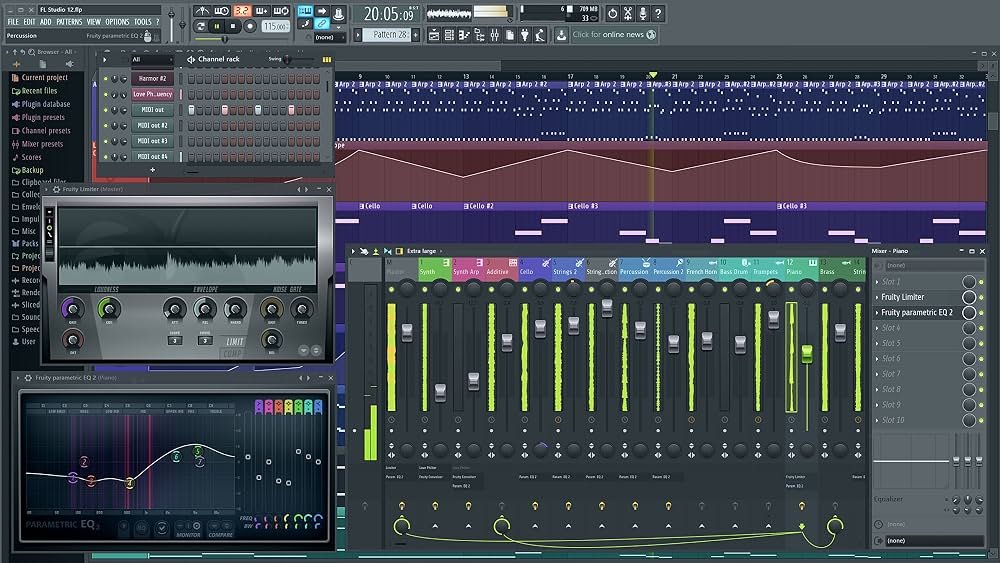


Find the Right Music Production Software for Windows
Choosing the right music production software for Windows depends on your workflow, budget, experience level, and the features you need. Compare the DAWs above to explore pricing, license types, free trials, macOS compatibility, and available offers.
For more information, visit each DAW’s details page or compare different DAWs side by side on MeloLane.
Choosing a DAW for macOS
Choosing a DAW for macOS depends on how you produce music, the features you need, and your budget. Music production software for macOS can support workflows such as audio recording, MIDI production, beat making, mixing, mastering, and more.
When comparing DAWs for macOS, consider macOS compatibility, plugin support, system requirements, pricing, free trials, and licensing. Plugin compatibility and available features can differ between products.
Free DAWs for macOS
Looking for free music production software for macOS? Some DAWs offer a completely free version, while others provide a limited free edition or free trial.
macOS DAW Compatibility
Check whether the DAW supports your version of macOS and whether your computer meets the software’s system requirements. Plugin, audio interface, and hardware compatibility may also be important.
DAWs for Recording & Music Production
macOS DAWs can support workflows including audio recording, MIDI editing, virtual instruments, mixing, automation, and music production. Compare the available features to find software that fits your workflow.
What to Look for in a macOS DAW
When choosing music production software for Windows, consider the features that matter most for your workflow. Depending on how you create music, this may include audio recording, MIDI editing, virtual instruments, automation, mixing tools, plugin support, and offline use.
Pricing and licensing can also differ significantly between DAWs. Some Windows DAWs offer free versions or free trials, while others use subscriptions or lifetime licenses. Check the latest system requirements and compatibility information from the developer before installing or purchasing a DAW.
FAQ
What is the best DAW for macOS?
What DAWs are available for macOS?
Are there free DAWs for macOS?
How do I know if a DAW is compatible with my Mac?
Can I use plugins with a DAW on macOS?
What should I look for when choosing a DAW for macOS?
How we select DAWs for macOS
DAWs on this page are included based on their macOS compatibility and the product information available from their providers. The order in which DAWs are displayed is randomized and does not represent a ranking or recommendation. MeloLane regularly reviews product information, but compatibility, features, pricing, and availability may change.
Disclaimer
MeloLane provides information about software, features, compatibility, pricing, deals, discounts, and promotions for informational purposes only. Prices, availability, discount codes, features, compatibility, and offer terms are controlled by third-party providers and may change at any time.
Some links on this page may be affiliate links. If you make a purchase through one of these links, MeloLane may earn a commission at no additional cost to you.
Always verify the latest price, product details, system requirements, compatibility, license terms, and offer conditions directly with the provider before completing your purchase.